
Grok API will watermark its text from November 7
From November 7, Grok API text carries an invisible watermark by default. What it covers, how to check it, and how admins can opt out.
From Saturday, November 7, 2026, text returned by the Grok API will carry an invisible watermark by default. SpaceXSI — the name xAI now uses in its developer docs — says the mark is there to comply with the EU AI Act. If you build anything on the Grok API, nothing in your code changes, but the text your app produces will be statistically marked unless a team admin turns it off per model. If you only use the Grok app or Grok on X, this post is not about you: the docs cover the API only.

What is changing
Starting November 7, responses from seven models include a watermark, on by default:
grok-4.7grok-4.6grok-4.5grok-4.3grok-4.20-reasoninggrok-4.20-non-reasoninggrok-4.20-multi-agent
It applies on every SpaceXSI API endpoint, including the global endpoint (api.x.ai) and any regional endpoint — so this is not an EU-only switch. It covers every text generation API, including the Responses API and the Chat Completions API, and it covers more than chat replies: ordinary text responses, structured outputs, and the arguments the model generates for tool calls all count.
There is no request parameter to send and no code to change. The response format stays the same apart from one new header, covered below. SpaceXSI also says watermarking does not change response quality or speed — that is the company's own statement, with no independent testing yet.
How the watermark works
The watermark is not visible, and it is not a hidden string in the text. While the model generates, it slightly shapes which tokens it picks, so the finished text carries a statistical pattern without adding any characters, markup, or hidden text. A reader copying the text sees ordinary text.
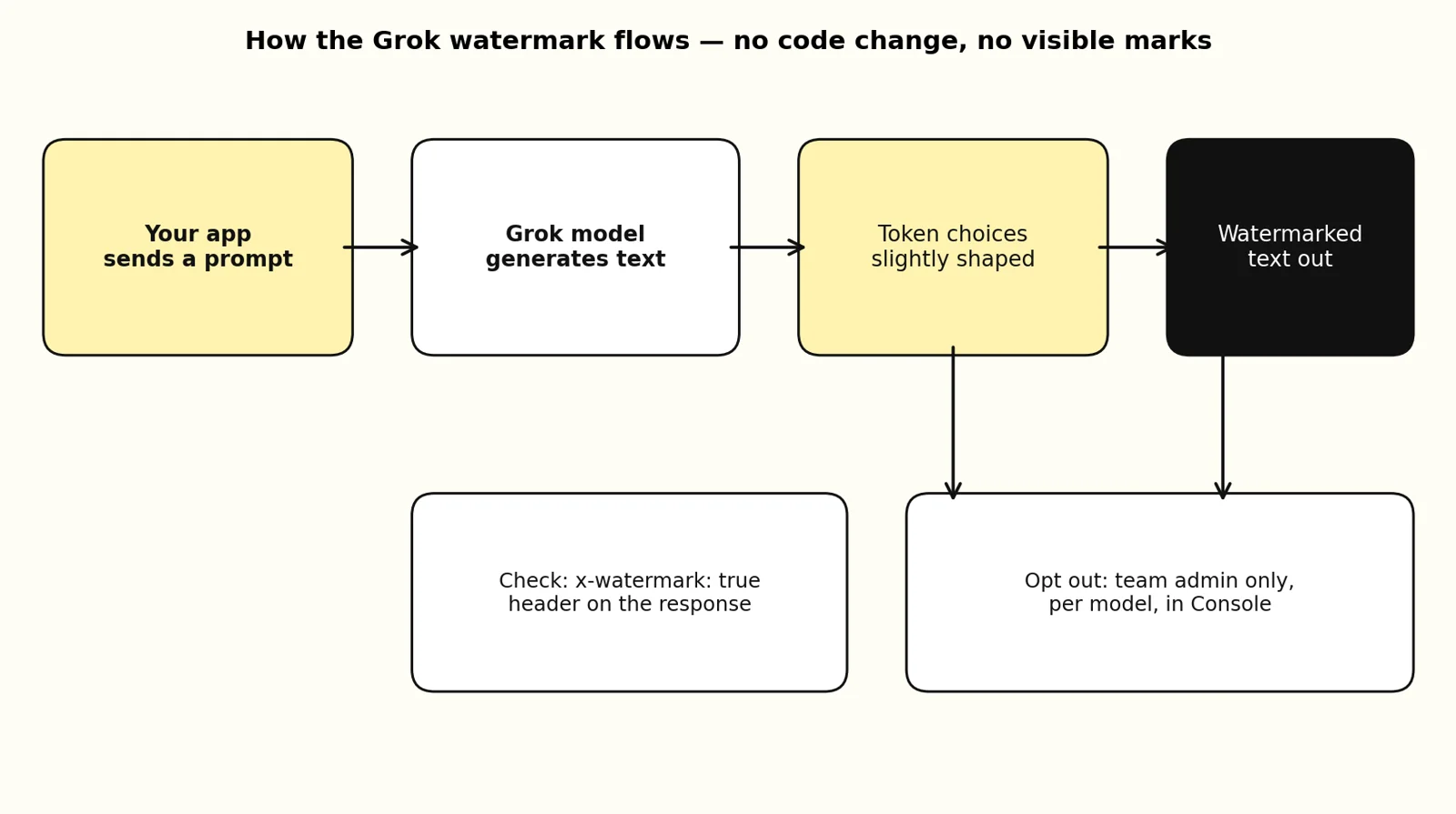
You can check a single response yourself. Read the x-watermark header on the Responses API or Chat Completions API response: x-watermark: true means that request was generated with the watermark. Any other value, or no header at all, means it was not.
Checking an arbitrary piece of text later is different. Detection is statistical: SpaceXSI scores a text against the watermark and reports watermarked, not watermarked, or uncertain, and longer text gives a stronger signal. Access to that detection API is by application only, through a form in the docs — so today, an ordinary reader, teacher, or customer cannot verify a suspicious paragraph on their own.
How to opt out — and what it commits you to
Only team admins can change this, and the choice is per model for the whole team. It applies to every API key on the team; you cannot set it per key.
- Open the Team settings page in the SpaceXSI Console and find the Model output watermarking row. It shows On (all models), Off (all models), or Custom. Only admins see this row.
- Select the settings icon, then clear the checkbox for each model you want to opt out. Select all turns every model on or off at once.
- Select Save, then confirm with Opt Out.
Changes apply to new requests within 5 minutes. Every opt-in and opt-out is recorded in the team's audit log. Some models may be locked on for your team — they appear in the dialog without a checkbox, and the docs direct you to your team admin or SpaceXSI support for those.
The opt-out is not just a toggle. Confirming it means you state that an exception under applicable law applies to your use, and that you are solely responsible for any marking, disclosure, or other legal requirement. In plain terms: if you turn the mark off, the legal duty to label AI-generated text moves to you.
What this means if you run AI on your own computer
This is the clearest recent example of the split between cloud APIs and local models. A local model running in Ollama or llama.cpp on your own machine has no provider-side watermark: no company shapes its token choices, adds a header, or keeps an audit log of your setting. Whether your output is marked is entirely your choice — and, where the law requires marking, entirely your responsibility too.
For Grok API users, the practical decision is simple:
- You ship Grok-written text to the public, especially in the EU: leave the watermark on. It is your compliance evidence, and it costs you no code change.
- You use Grok internally for drafts, summaries, or tool calls that never leave your systems: the watermark changes nothing you can see, so there is rarely a reason to opt out.
- You think you qualify for an exception: have an admin opt out per model in the Console before November 7, and keep your own record — the audit log helps, but the legal responsibility after opt-out is yours.
One caution either way: do not promise customers or readers that you can prove a text was or was not written by Grok. The per-response header can prove it for responses you received yourself. The general detector is application-only, so third-party verification is not something you can offer today.
If you want to see what your own machine can run without any API in the middle, start with check your computer.
The takeaway
From November 7, Grok API text is marked by default: seven models, every endpoint, both text APIs, including structured output and tool-call arguments. The mark is invisible, lives in token choice, and shows up in the x-watermark header. Admins can opt out per model in the Console, but opting out means declaring a legal exception and taking the marking duty on yourself. For local AI users, nothing changes — and that contrast is the point: on your own hardware, marking is a choice you control, not a default someone else sets.
Sources
- Output Watermarking, SpaceXSI Docs, updated October 31, 2026
- Grok will watermark API text from November 7, Maccus, November 2026