
What is Muse? Meta's personal AI agent, explained
Muse is Meta's personal AI agent with its own computer, memory and tools. Here's what it does, how it works, what it costs, and how to try it.
Most AI apps answer questions. Muse is built to finish work. It is Meta's personal AI agent: every user gets their own agent, running on its own dedicated computer, that remembers them between conversations, uses real tools, and keeps working in the background. Muse went live on September 8, 2026 in the US and Canada, and it is powered by Muse Spark, the first model in Meta's Muse family, which launched on April 8, 2026. This guide explains what Muse is, what it can actually do, how the app is organised, what it costs, and how to try it.
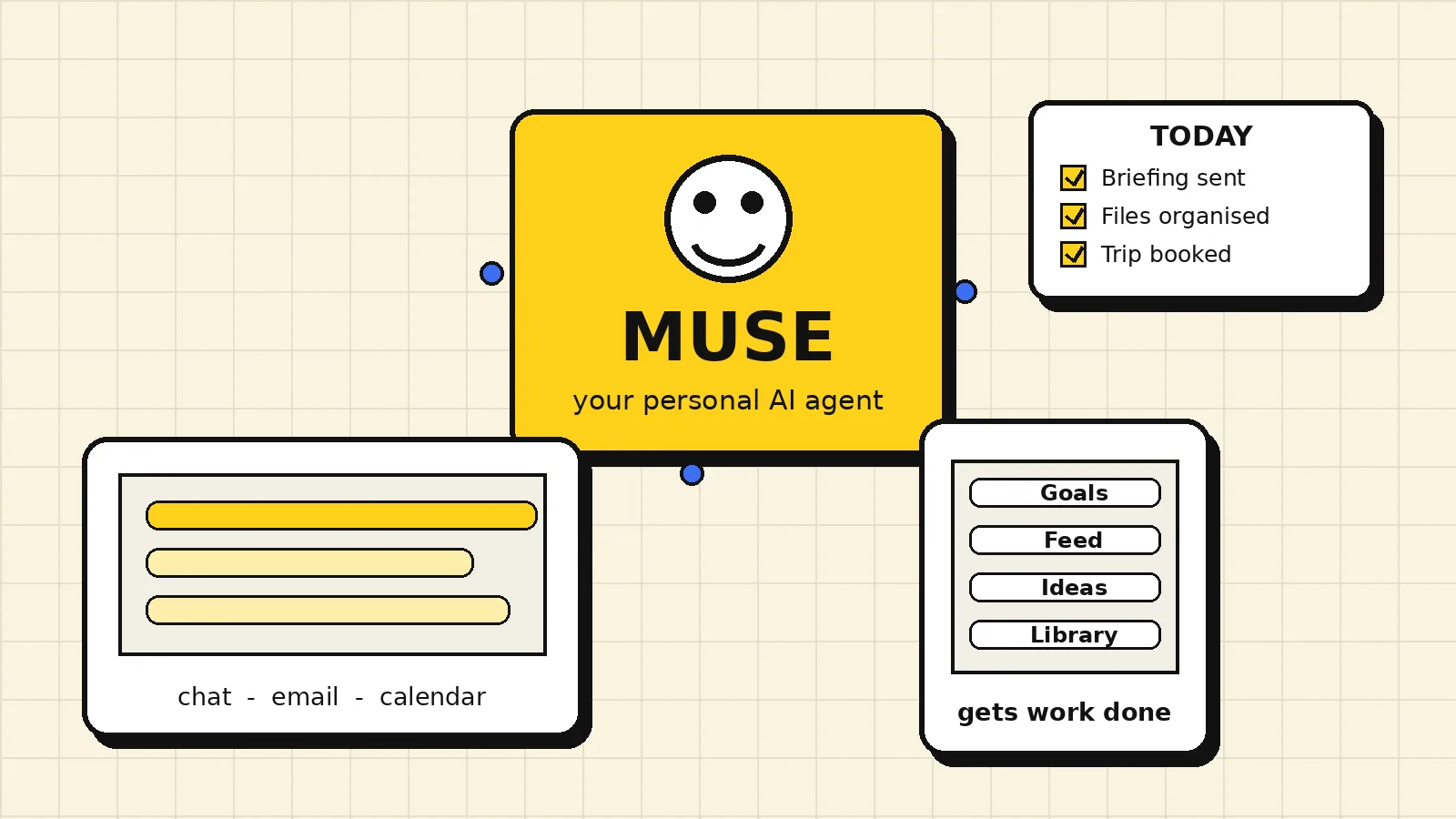
Not a chatbot: an agent with its own computer
The biggest difference from a normal chatbot is the computer. Your Muse agent runs on a dedicated machine that stays with you between chats. It has a filesystem, a browser, and a terminal, so it can do multi-step work directly: research a topic across sources, build a document or a small web app, organise files, and come back with a finished result instead of instructions for you to follow.
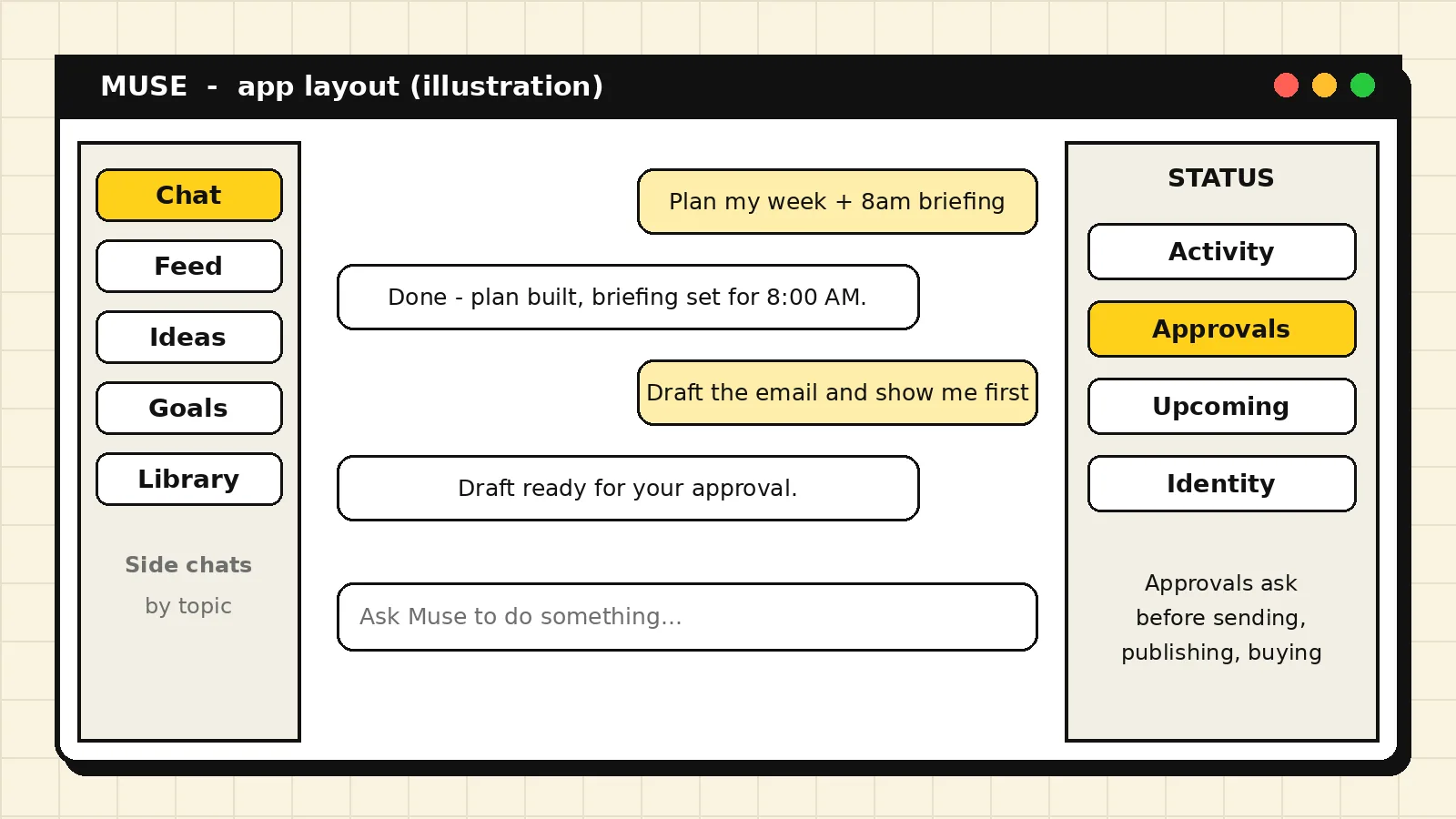
That machine also gives Muse continuity. It keeps a memory of who you are, what you care about, your preferences, and your past decisions, stored in files you can view and edit. A conversation next week can pick up context from today without you re-explaining everything. Side chats let you split topics into separate threads, each with its own history, while the agent's underlying memory stays shared.
What Muse can do
Real work with connected accounts. Connectors link Muse to services such as Gmail, Google Calendar, and other apps. With your permission, the agent can search and read your email, check your calendar, draft and send messages, and manage events. Each connector has its own permissions, and you control which actions are allowed, which need your approval, and which are blocked.
Scheduled and background work. You can ask Muse to check something on a schedule or watch for a change: a morning briefing, a price or status check, or a recurring summary. Those jobs run while you are away and report back in chat. In the app, the Upcoming view shows your scheduled tasks and their run history.
Goals, Feed, and Ideas. The app is organised around more than chat. Goals are durable outcomes you are working toward, with progress tracked over time. The Feed is a set of short posts your agent writes for you on a schedule, based on a brief you can edit. Ideas are suggestions your agent comes up with for things to build or do; pick one and the agent builds it. Everything the agent makes collects in the Library.
Artifacts: documents, pages, and apps. When a chat reply is not enough, Muse builds artifacts: documents and files you can download and keep, static pages hosted live, and interactive apps that store their own data on your agent's computer. Artifacts live in the Library tab, and a static artifact can be published to a public link only with your approval each time.
Voice, messaging, and paired devices. You can dictate messages and send voice notes, which are transcribed like any other message. Where enabled, you can also talk to your agent from WhatsApp. Pairing a phone or a Mac adds device capabilities, such as working with that device's apps and data, always under the permissions you grant on the device itself.
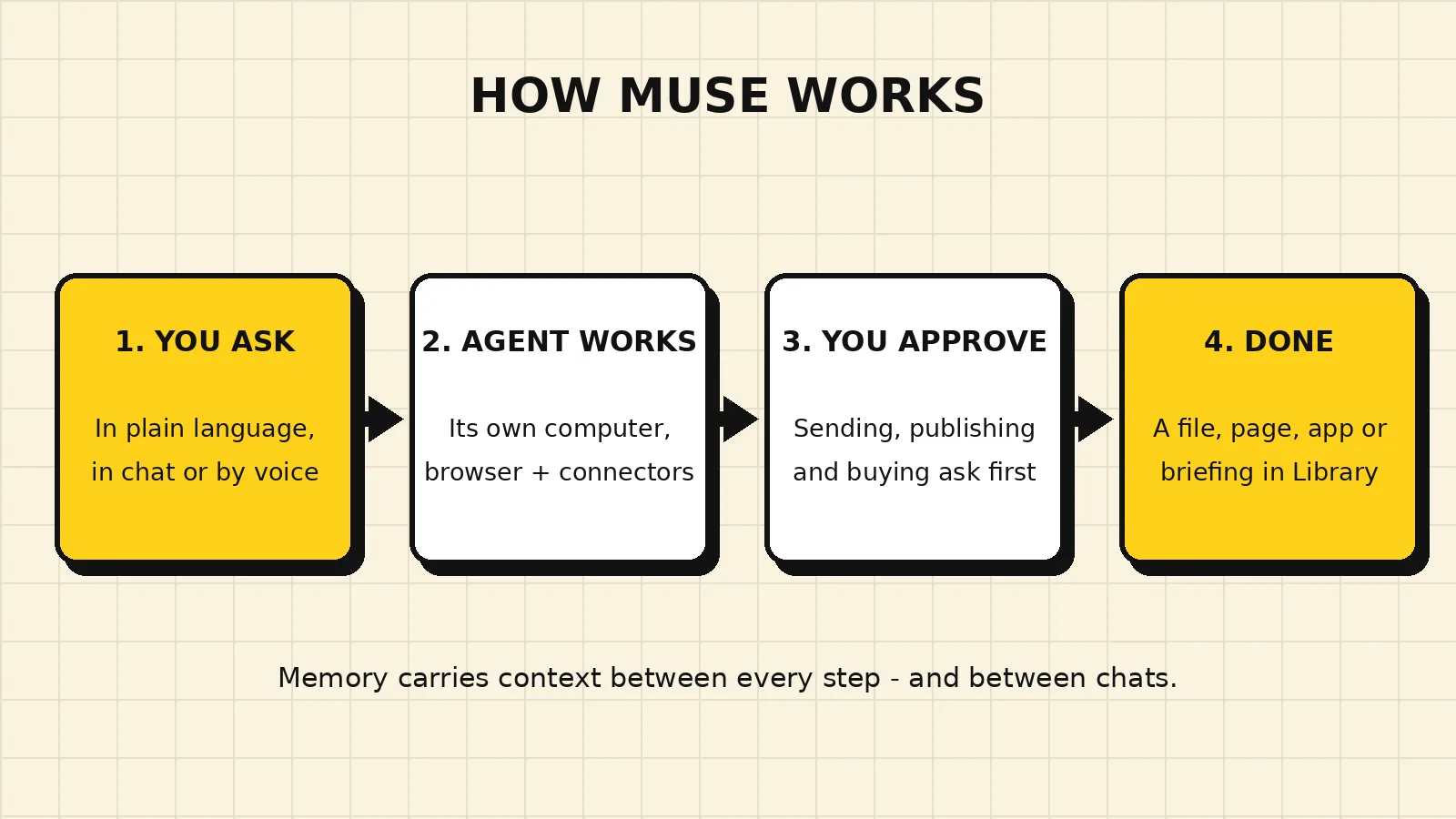
How Muse works, step by step
You ask for an outcome in plain language. The agent plans the steps, uses the tools and connectors needed, and asks for approval before anything consequential: sending a message on your behalf, publishing something, or making a purchase always needs your explicit go-ahead. You can watch progress, steer the work mid-task, or stop it. When the work is done, the result arrives in chat as a message, a file, or an artifact in your Library.
Where you use Muse
Muse is available on the web at muse.ai, in the iOS app on the App Store, in the Android app on Google Play, and in a Mac app you can download from Meta. The shared tabs are Chat, Feed, Ideas, Goals, and Library on every surface. The Mac app adds system-wide extras such as a menu-bar quick chat and dictation into other apps. Availability at launch is the US and Canada.
What it costs
Muse offers free access with a usage limit, plus optional paid monthly subscription plans for more usage. Plans are sold at muse.ai and through the Apple App Store and Google Play Store, and they renew monthly unless cancelled. For the current plan list and prices, check the subscription area in the app or Meta's official subscription help page, linked in the sources below, because prices can change.
Privacy and control
Your agent's access is permission-based. Connector and website permissions can be set to allow, ask, or deny, and approvals for sensitive actions are shown to you before anything runs. Your passwords and payment details are handled through secure storage and secure checkout flows, not pasted into chat. In Settings, the data controls include an AI training opt-out, a download of your agent data, an import-memory option for bringing context from another assistant, and a Reset option that wipes the agent's data. Deleting your account itself happens through Meta Accounts Center.
Be clear-eyed about the trade-off: a personal agent is useful because it can see your email, calendar, and files, and that is also why the permission controls matter. Connect only what you want it to use, and review approvals instead of tapping through them.
Muse vs a local model: which do you need?
Readers of this site often ask how Muse compares with running a model on their own computer. They solve different problems. A local model runs privately on your hardware, costs nothing per question, and answers offline, but it only chats unless you build tooling around it. Muse is a hosted personal agent: it comes with the computer, memory, connectors, scheduling, and app already built, in exchange for a subscription and for trusting a cloud service with the data you connect. Many people will use both: local models for private, high-volume work, and an agent like Muse for connected, multi-step tasks. If you want to check what your own machine can run, start with our hardware check.
Try Muse with our invite code
Want to try it? Join at muse.ai/join and redeem our invite code TPEM0W in Settings within 48 hours of joining, and we will both get 1 billion Muse tokens, per the invite offer shown when you share the code.
On iPhone and Android, that is Settings, then Redeem token. On the web, it is Settings, then General, then Usage, then Redeem invite code. Do it right after you join: the redemption option is only available during the first 48 hours, and opening the join link alone does not redeem the code.
The takeaway
Muse is Meta's bet that the next step after chatbots is a personal agent: one agent per person, with its own computer, long-term memory, real connectors, and an app built around goals, a feed, ideas, and a library of finished work. It will not replace a local model for private inference, but for everyday multi-step work you would otherwise do yourself across five apps, it is the most complete version of the idea you can try today.
Sources
- Muse, Meta
- Join Muse, Meta
- Download the Muse Mac app, Meta
- About Muse subscriptions, Meta Help Centre