
TensorFold: faster local LLM answers with identical output
A new free engine makes local models decode up to several times faster — and its 'exact decoding' promise means no output token changes.
A new inference engine called TensorFold is having a big week: close to a thousand GitHub stars in a matter of days, and its headline promise is unusually careful for speed software — your local LLM gets several times faster without a single token of output changing.
🎬 Prefer to watch? Here's the video version of this article.

What TensorFold actually is
TensorFold is a free, open-source (Apache-2.0) server that runs language models on your own machine and speaks the OpenAI API, so anything that talks to an OpenAI endpoint — coding agents, scripts, curl — works without modification. You install it and serve a model with one command:
pip install git+https://github.com/ashhart/TensorFold.git
tensorfold serve TensorFold/Qwen3.8-27B-MLX-4bit
Then you point your tools at http://127.0.0.1:8080/v1. It runs on Apple Silicon through MLX and on NVIDIA GPUs through CUDA, and the model menu today includes Qwen3.8, NVIDIA's Nemotron 3.5 Lightning, GLM-5.3-Flash, Gemma 4, and DeepSeek-V4-Flash — mostly 27–35B-class models, which are exactly the size a well-specced home machine can handle.
Why "exact" is the interesting part
Yesterday we covered speculative decoding, where a small draft model guesses several tokens at once and the big model verifies them. TensorFold is built around the same trick — draft heads and draft models for every supported model family. What makes it notable is the strictness of the guarantee: a drafted token is accepted only if it is byte-identical to the token the engine would have produced one-by-one.
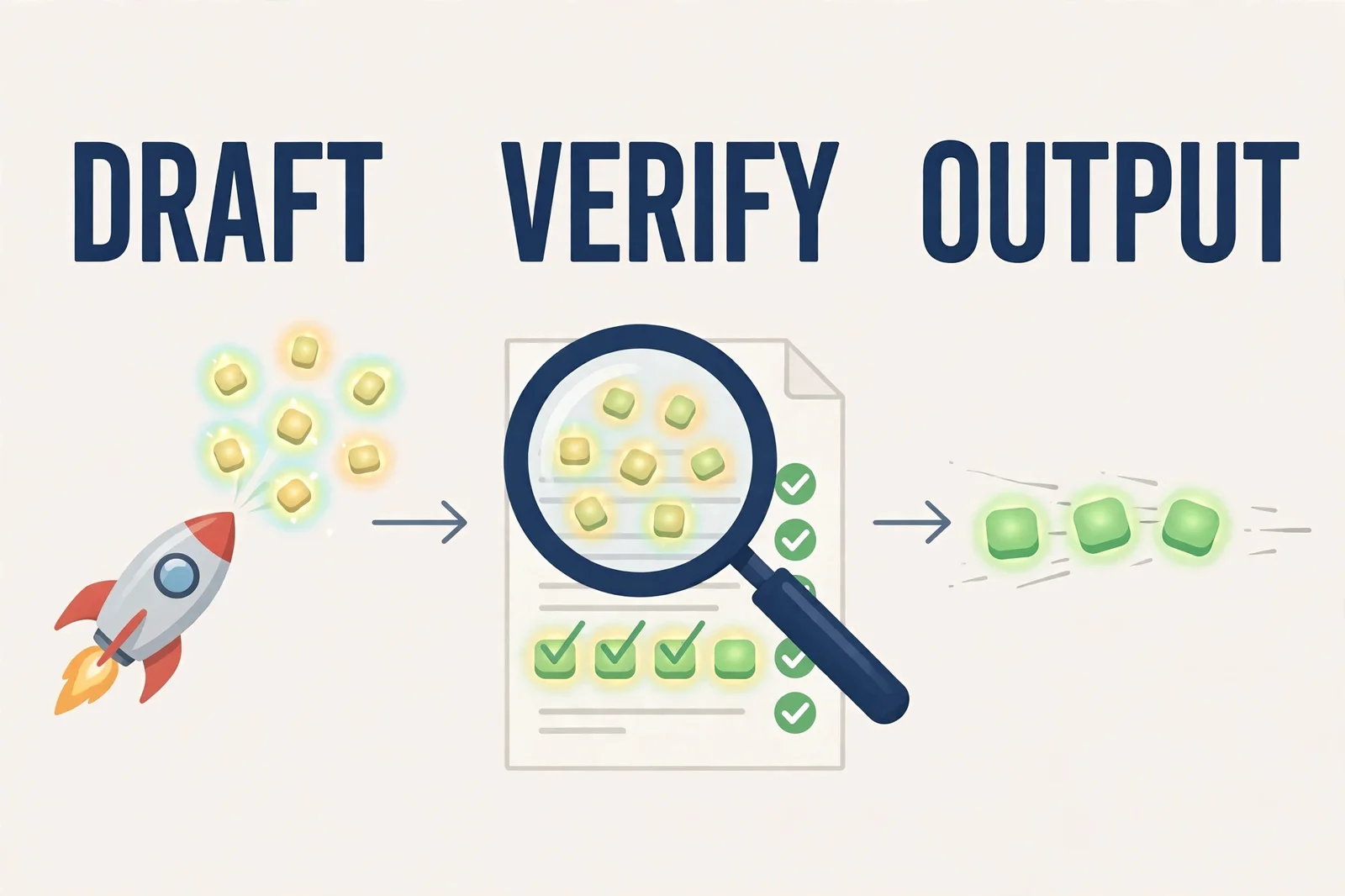
Think of it as a second checker who may not change a single word of the document, only deliver it sooner. The project even gives you a way to audit this yourself: run the same request with drafting disabled and compare — the answers must match. That matters because speed tricks in AI often quietly change what you get. Here, the contract is explicit: faster, but the same tokens.
The measured speedups
The project's release notes publish per-release benchmarks on named machines. A few standouts from the last few days:
- On an M5 Ultra, Qwen3.8-27B with drafts went from 33 to 131–160 tokens/second.
- On an M3 Ultra, code editing went from 190 to 233 tokens/second.
- On an M5 Max, Nemotron editing code went from 550 to 760 tokens/second (and up to about 1,000 on a cool machine).
- On an RTX PRO 6000, decoding ran 1.4–2.0× faster than vLLM, the popular open serving stack.
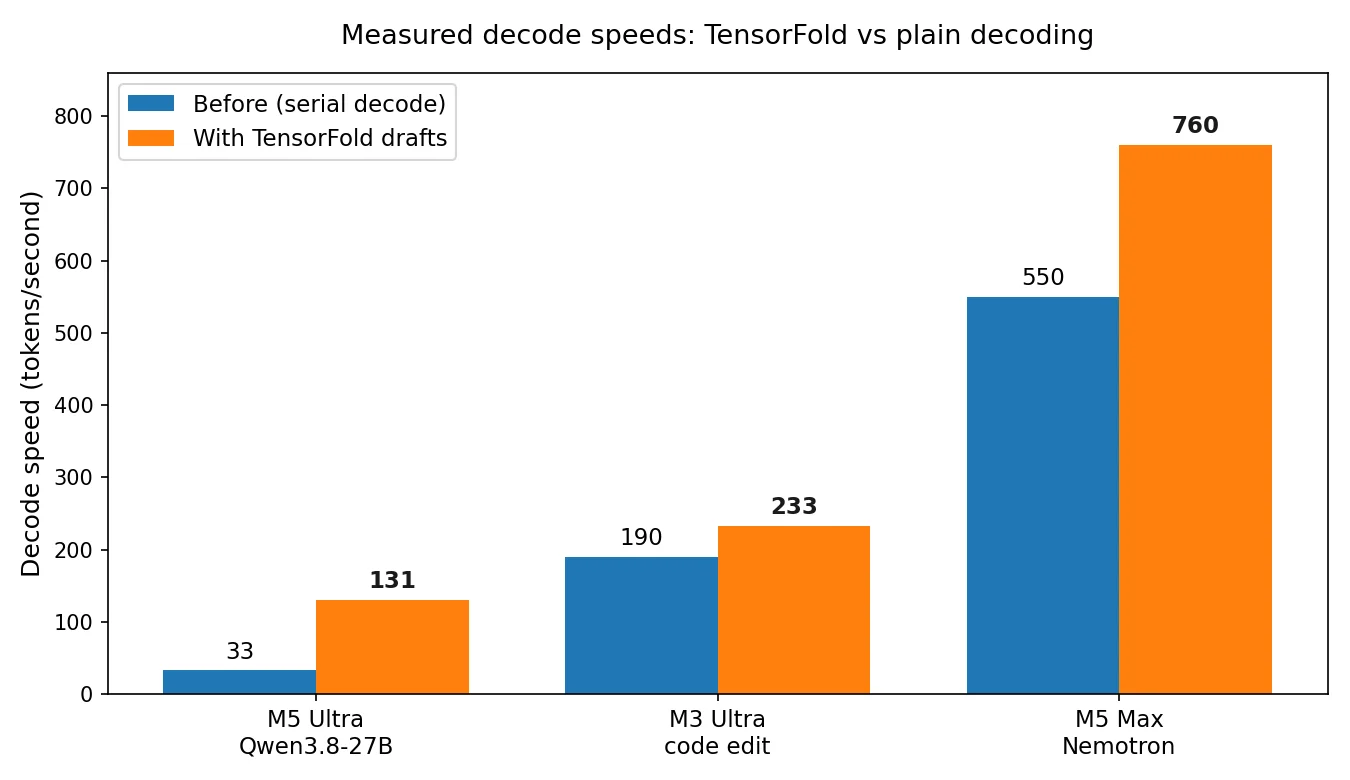
Chart uses the low ends of the ranges TensorFold reports (131–160, and up to 1,000 on a cool machine for Nemotron), drawn from the project's own benchmarks.
It is also worth noting the honesty baked into the docs: some measurements are still marked "TBD until a public fixture accompanies each result," and speedups vary a lot by machine and workload. These are the developer's numbers, not independent tests — take them as a strong signal, not a guarantee on your hardware.
Who it's for — and who should wait
Worth a look if you: run local models on a recent Mac or a newer NVIDIA card, use an OpenAI-compatible setup already (Ollama-style tooling, coding agents), and enjoy testing fast-moving open-source tools. Mac users can also install it with Homebrew.
Wait if you: run an RTX 30-series or older NVIDIA card — CUDA support requires compute capability 8.9 or newer (RTX 40 series and up), and older cards are refused at startup. On the Mac side you need Python 3.11+ and recent MLX. And know what you're signing up for: the project shipped roughly a dozen releases in five days, so expect rough edges and frequent updates.
The takeaway
Speed software that promises your answers won't change is rarer than it should be. TensorFold's early numbers suggest meaningfully faster local decoding with a built-in way to verify the promise holds — and that combination is what makes it worth watching this month, even if you let it mature before switching.
Sources
- TensorFold GitHub repository — README, model table, and exact-decoding contract (946 stars as of Oct 3, 2026)
- TensorFold CHANGELOG — release 0.6.0 (Sep 30, 2026), 0.6.1 (Oct 1, 2026), 0.6.3 (Oct 2, 2026), 0.6.4 (Oct 3, 2026): measured decode/prefill numbers and machine details
- TensorFold: the engine that makes local LLMs 2–3× faster — Context Studios, Oct 2, 2026: author background, GitHub growth, 12 releases in 5 days