
Is your local AI server exposed? A one-minute Ollama security check
Ollama has no password by default, and exposed AI servers are being hijacked for crypto mining — here is the check that tells you if yours is safe.
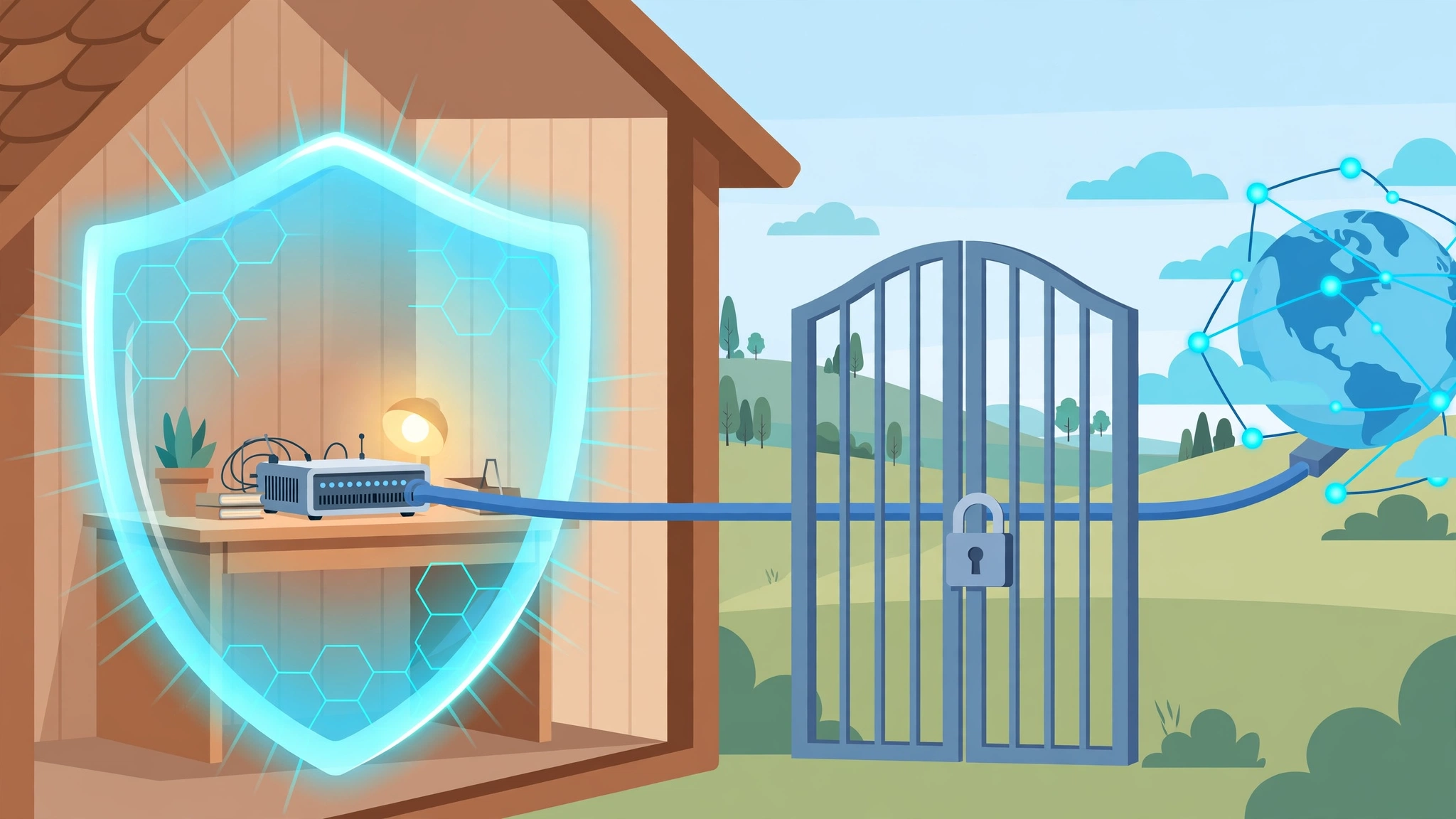
Running AI on your own machine is supposed to be the private option. But "local" only stays private if your server is actually local. If your Ollama server can be reached from the internet, anyone can use it — and in 2026, attackers are actively doing exactly that.
The good news: the check takes about a minute, and most home setups pass it. Here is what to look for, and what to fix if you fail.
Why this matters right now
In October 2026, Lumen's Black Lotus Labs disclosed a malware campaign called PoeLLM that has hit more than 3,400 servers since April 2026. The campaign targets internet-facing AI and developer services, including Ollama and LiteLLM. Once a server is compromised, the malware installs crypto miners and turns the machine into a scanner that hunts for the next victim. The campaign is still active, with peak activity above 800 servers per day.
Separately, a flaw in Ollama itself was published on October 8, 2026. CVE-2026-103663 is a path-traversal bug in Ollama's model-download endpoint: an unauthenticated attacker could trick Ollama into writing a file outside its model store. In Docker setups, where Ollama can write to its own library directory, that file could run as root the next time the server restarts. The fix is in Ollama 0.35.0, so any version before 0.35.0 is affected.
Two different warnings, one lesson: an exposed AI server is not a theoretical risk. It is a machine with a valuable GPU, no password, and a public address.
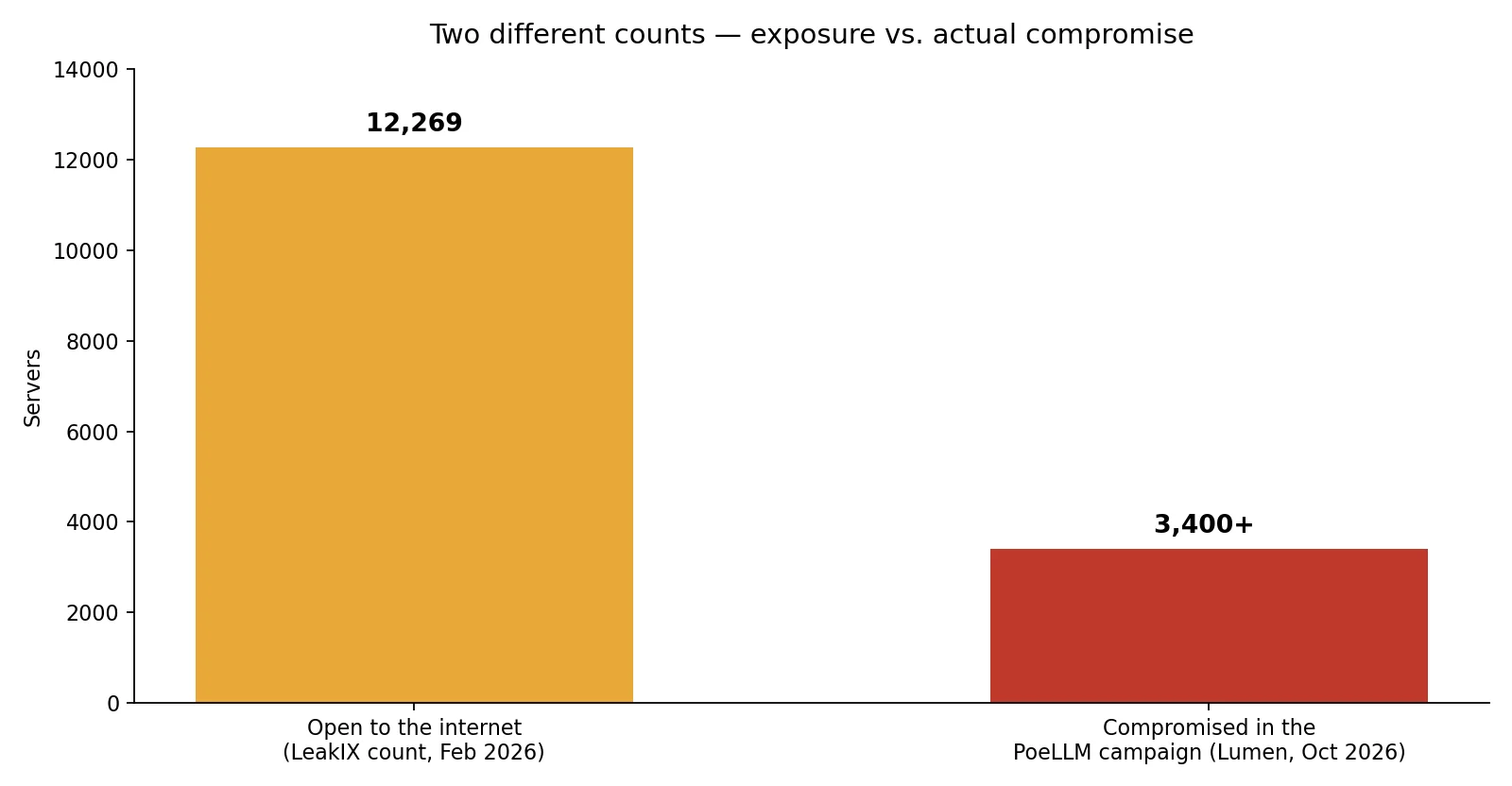
The two bars above measure different things, and the difference matters. The larger number is exposure: in February 2026, LeakIX counted 12,269 Ollama servers reachable from the internet with no authentication. The smaller number is confirmed damage: more than 3,400 servers actually compromised in the PoeLLM campaign. Exposure is the condition; compromise is what follows when attackers find it.
The one-minute check
Ollama's API has no login. If port 11434 is reachable from outside your machine, anyone who finds it can list your models, run prompts on your GPU, and pull new models. So the question is simply: who can reach port 11434?
Step 1: check your version. Run this in a terminal:
ollama --version
If the version is older than 0.35.0, update before anything else. That closes the CVE-2026-103663 flaw. On most systems, reinstalling Ollama from the official download page is the update path.
Step 2: check what Ollama listens on. On the machine running Ollama, run:
ss -tlnp | grep 11434
Here is how to read the result:
127.0.0.1:11434means only that machine can reach Ollama. That is the safe default, and it is what a standard Ollama install uses.0.0.0.0:11434or[::]:11434means every network interface listens. If that machine has a public IP, or your router forwards port 11434 to it, the internet can reach it.
Step 3: check from outside. From a different network — your phone on mobile data works — try:
curl http://YOUR-SERVER-IP:11434/api/tags
Replace YOUR-SERVER-IP with your server's public address. If you get back a JSON list of models, so can an attacker. If the connection times out or is refused, your server is not reachable from outside, which is what you want.
If you fail the check
Do these in order:
- Update Ollama to 0.35.0 or later. This is the single most important fix.
- Stop exposing the port. Remove any router port-forward for 11434, and do not bind Ollama to all interfaces unless you have a reason and a way to protect it. The default localhost-only setting is the right one for a home machine.
- If you need remote access, use a private tunnel, not an open port. A VPN or a Tailscale-style private network lets only your devices reach the server. Never rely on "nobody knows my IP" — automated scanners find open ports within hours, not months.
- Check for signs of compromise. Look for unexplained GPU or CPU load, unfamiliar models in your model list, or processes you did not start. If anything looks wrong, stop the server, remove unknown models, and reinstall from a clean copy.
The same logic applies to every other local AI tool you run: LM Studio's server mode, llama.cpp's server, and web front ends like Open WebUI. Each one is a web server with no password unless you add one. Check the bind address for each, and keep them on your home network only.
The bottom line
Local AI is still the private option — but only when the server stays local. A default Ollama install already does the right thing by listening on localhost only. The danger comes from the extras: a port forward added for convenience, a Docker setup that binds every interface, or an old version with a known flaw.
Take the minute. Check the version, check the listening address, and check from outside. If all three come back clean, you are done — and your private AI setup is actually private.
Sources
- Canto Incognito: Tracking the PoeLLM Malware, Lumen Black Lotus Labs, October 7, 2026
- CVE-2026-103663: Ollama Can Let Attackers Run Code as Root, StackFlag, updated October 22, 2026
- Ollama CVE-2026-103663: Am I Affected? A One-Minute Check for Your Local AI Setup, DEV Community, October 2026
- Is Your AI Server Exposed? How to Lock Down Ollama, October 16, 2026
- PoeLLM Malware Has Hit 3,400+ AI Servers, October 2026