
NVIDIA PAIR: put your idle PCs to work as one local-AI team
NVIDIA's free beta router pools the spare compute in your home — plus free speed boosts for the GPU you already have.
Your house probably holds more AI compute than any single machine in it uses. The gaming PC in the bedroom sits idle while you type on the laptop. The older laptop in a drawer still has a usable GPU. NVIDIA's answer to that waste is PAIR — Personal AI Router — a free, open-source tool that finds compatible computers on your home network and routes local AI work to whichever one has spare capacity.

What PAIR actually does
PAIR is not a new model, and it is not a chatbot. It is routing software — a traffic cop that sits in front of the tools you already use. The computers in your cluster keep running Ollama or LM Studio, and PAIR decides which machine answers each incoming request. Your apps still talk to localhost using Ollama-compatible or OpenAI-compatible API endpoints, so anything you already run against Ollama can point at the cluster without changes.
Getting started is deliberately low-friction: installers exist for Windows, macOS, and Linux, and PAIR can even install and start Ollama or LM Studio for you. You pair machines by entering a six-digit PIN shown on the inviting machine. After that, requests flow to whichever node is reachable, has the engine running, and holds the requested model.
It reaches far back in hardware history, too. NVIDIA supports GeForce RTX 20-series cards and newer — a generation that first shipped in 2018 — plus Apple M4 chips and later, and DGX Spark systems. Windows, Linux, and macOS nodes can mix in one cluster.
The honest limits — read before you install
PAIR's own documentation states the key constraint plainly: it routes each independent request to one node. It does not pool GPU memory, combine GPUs into a bigger logical GPU, split one model across machines, or split an in-flight request between nodes. A 70B model that needs 40GB still needs one single machine with 40GB — PAIR will not help it fit.
That means PAIR does not make any one answer faster. Its payoff shows up when several things ask for AI at once: an agent splitting a job into parallel sub-tasks, two apps querying at the same time, or a background job running while you chat. In NVIDIA's own test, five sub-agents working simultaneously took about 18 minutes on one device and under nine minutes spread across three machines. And if your household has just one capable PC, PAIR has nothing to route to — the pitch collapses back to updating your software for the free speed boost below.
A few more caveats. PAIR is in public beta (the project repo is an early release), and it currently routes to Ollama and LM Studio only — llama.cpp and vLLM support are on the roadmap, not in the beta. Reviews of the early code note macOS test failures and dependency advisories, so treat it as a pilot: great for a home lab, not something to depend on for production work yet.
The free speed boost you get even on one PC
Separate from PAIR, NVIDIA worked with the open-source communities to speed up the inference engines themselves. The claimed gains:
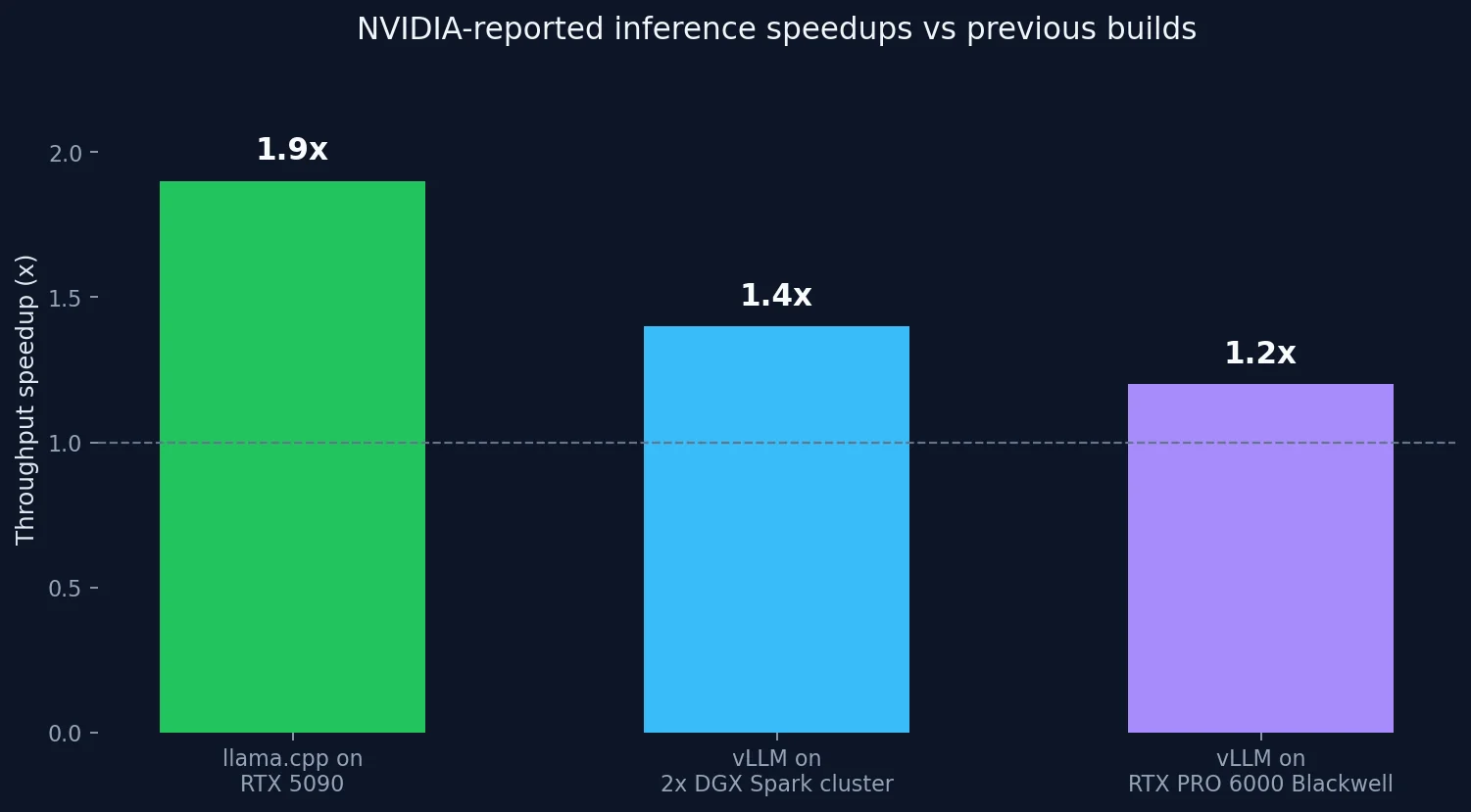
These numbers are NVIDIA's own claims, not independent measurements — the "up to 1.9x" figure is for llama.cpp on an RTX 5090 specifically, achieved through kernel optimizations, better speculative decoding, and faster prefill. Your card will vary. But because the gains live in the engines, they reach you through an app update in Ollama or LM Studio. No new hardware, no new software to learn — just update and measure your own tokens per second before and after.
How PAIR decides where a request goes
The routing logic is simple on purpose. Each node reports live GPU and memory use, and PAIR picks a node that is reachable, has a compatible engine running, and advertises the requested model — preferring nodes it already knows hold the model. Think of it as a scheduler, not a blender: whole requests go whole places.
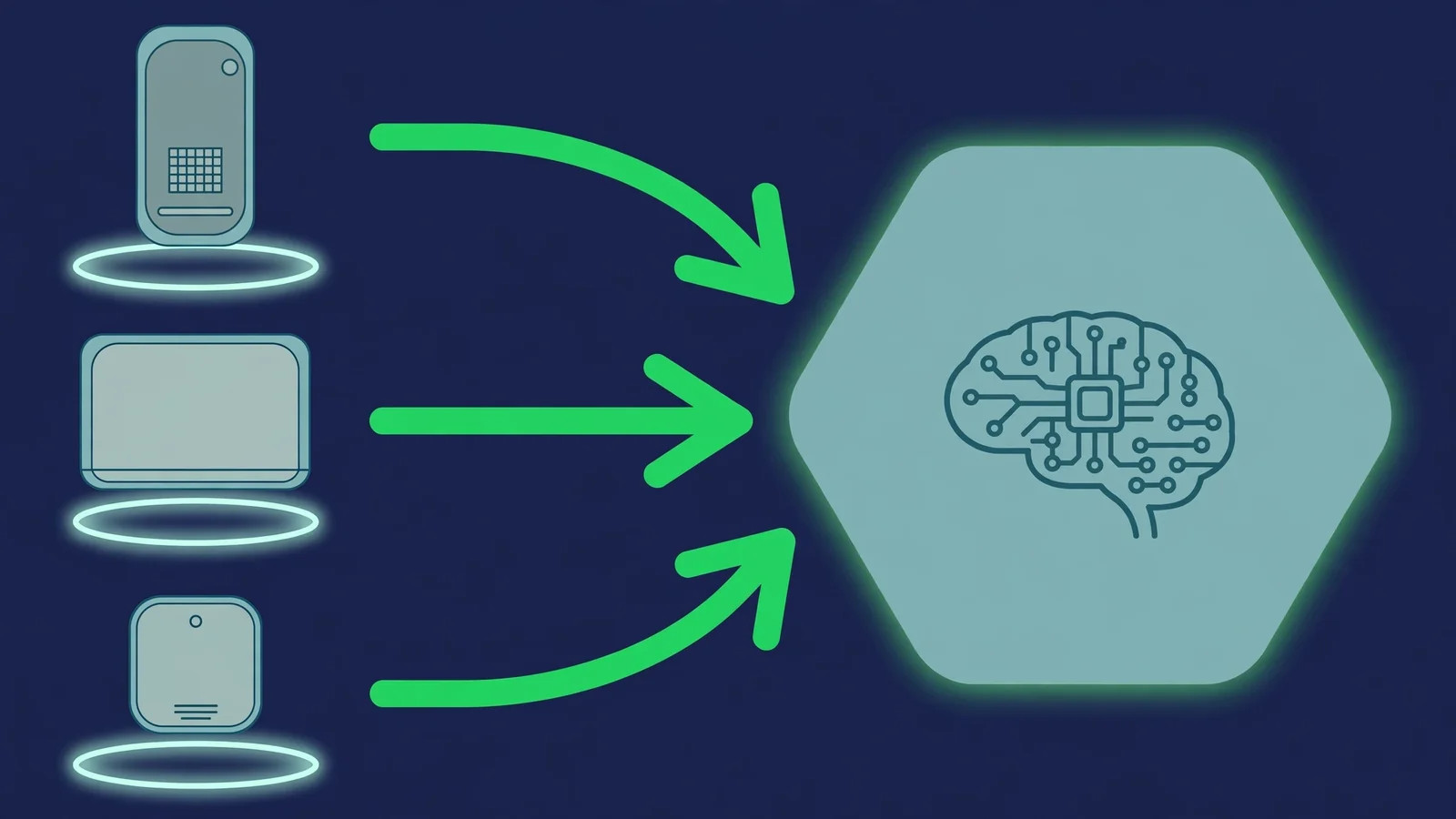
That design choice is what keeps it beginner-friendly. No sharding config, no tensor parallelism math — if you can run Ollama on two machines, you can try PAIR. The tradeoff is that truly parallel inference on one giant model stays a data-center problem.
The takeaway
Do these two things, in this order. First, update your stack — llama.cpp, Ollama, or LM Studio — and claim NVIDIA's engine speedups, which are free and require no multi-device setup. Measure your tokens per second before and after so you know what your hardware actually gained.
Second, if your home has two or more capable machines, install the PAIR beta and see whether your agentic workloads split cleanly across them. It keeps prompts and responses on your local network, costs nothing, and uninstalls cleanly — model weights live in the engine's own storage, so removing PAIR does not delete your downloaded models. Run your workload through /check first to know what each machine can hold, and compare hardware options in /compare/hardware if you are tempted to buy more capacity instead.
Idle silicon is only a resource if software notices it is idle. PAIR is NVIDIA's bet that your house, not your device, is the real unit of compute.
Sources
- NVIDIA/Personal-AI-Router README (official project repo, Apache-2.0) — routing model, supported engines, platforms, installers, roadmap
- NVIDIA PAIR: Idle PCs Get 1.9x Faster Local AI — Tech Insider (Oct 4, 2026) — deep dive on PAIR, compatibility, and the speed-claim context
- Nvidia Details Push To Make Local AI Agents Simpler And Faster At IFA 2026 — SMBtech (Sep 3, 2026) — 1.9x llama.cpp, 1.4x vLLM, and the five-sub-agent test from NVIDIA's IFA announcement
- IFA 2026: Nvidia RTX Spark PCs, Local AI Tools Announced — Gadgets360 (Sep 3, 2026)