
Build my local AI stack
From hardware to coding agent, one layer at a time
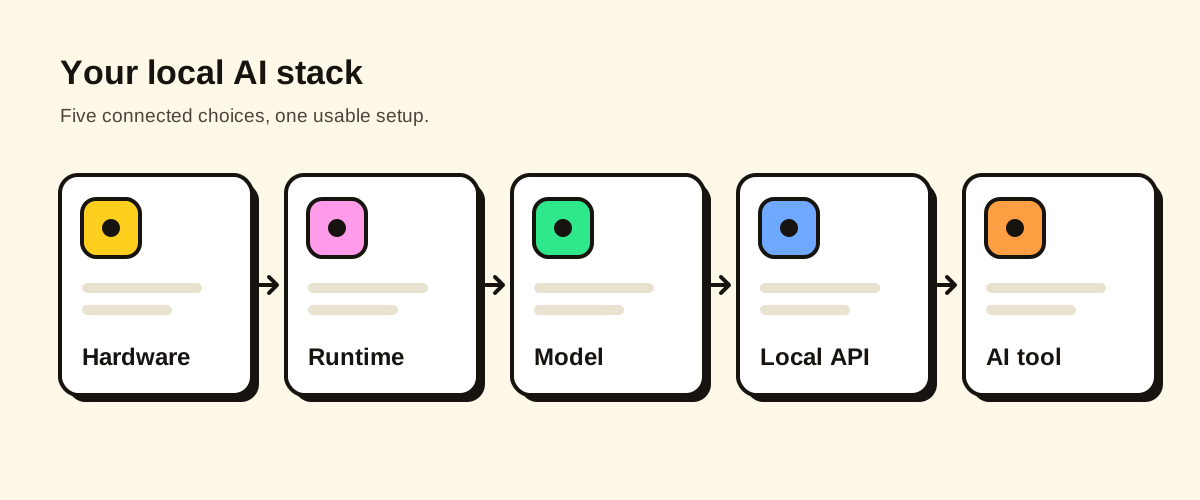
Choose your machine, what you’ll do and which tool you use. We pick the runtime, model and API that make the whole chain comfortable — and explain why.
Hardware
Workload & tool
Project size, agents, other apps
Override layers (optional)
Leave on Auto to let the engine choose.
Comfortable for medium-scale agentic coding
Yes — this should be comfortable for agentic coding.
Hardware
Mac mini M4 Pro 64 GB
64 GB unified memory
Runtime
LM Studio
METAL backend · MLX weights
Model
Qwen3.6 35B-A3B — 6-bit
28 GB weights · 32K context
Local API
OpenAI-compatible endpoint
http://localhost:1234
AI tool
OpenCode
Configure a provider with @ai-sdk/openai-compatible and the local base URL.
Set it up
Qwen3.6 35B-A3B — 6-bit on LM Studio, used from OpenCode. Replace placeholders like <model-name> with the name your runtime shows.
- 1
Install LM Studio
Download from lmstudio.ai.
- 2
Download Qwen3.6 35B-A3B (6-bit, MLX)
Search the model browser for mlx-community/Qwen3.6-35B-A3B-6bit.
- 3
Start the local server
Developer tab → Start server (port 1234). Set context length to 32768 when loading the model.
- 4
Add the provider to opencode.json
{
  "provider": {
    "local": {
      "npm": "@ai-sdk/openai-compatible",
      "options": { "baseURL": "http://localhost:1234/v1" },
      "models": { "<model-name>": {} }
    }
  }
}
Why this stack?
Why?
- Model fits with approximately 22 GB of memory headroom.
- LM Studio supports hardware acceleration on this machine (Metal (Apple GPU)).
- OpenCode can connect to LM Studio (officially supported).
- Generation (45–60 tok/s) should be appropriate for agentic coding.
- Ingesting a prompt of 18K tokens takes ≈20 s; prompt processing keeps up with agentic coding.
- 32K working context is reasonable.
- Good coding capability for agentic coding. Tool calling is reliable.
Why “Comfortable” rather than “Excellent”?
- Prompt processing: Ingesting the first prompt (18K tokens) takes ≈20 s; each of the ~25 follow-up agent steps takes ≈15 s (≈6 min per task).
- Workload suitability: Good coding capability for agentic coding. Tool calling is reliable.
- Context: 32K window; generation drops to 40–55 tok/s when it is full.
How sure are we?
Medium confidenceEstimated from bandwidth and compute, calibrated against 2 verified benchmarks of other models on this same chip (measured with a different engine, so calibration is partial).
- Calibrated with verified benchmarks of other models on this chip.
- MoE performance varies more between runtimes.